
iPhone
Your camera roll, minus the near-duplicates.
Alike groups the photos that look alike, picks the best shot in each group, and helps you clear the rest — without a single photo leaving your device.

Free to download, with an optional Pro subscription.
No account. No server. Nothing is uploaded.

How it works
Three steps, and you keep control at every one of them.
-

Scan
Alike compares your library with Apple's Vision framework, running entirely on your device. Photos close in time and place are compared; screenshots are left out unless you ask for them.
-

Review
Each group opens with a Best Shot already picked, so you can decide in seconds. Keep Best Only, Select All Except Best, or choose by hand.
-

Clear
Confirm, and the photos you chose go to Recently Deleted, where iOS keeps them for about 30 days. Nothing is ever removed without you saying so.


What you get
-
On-device analysis
Every comparison uses Apple's Vision framework, locally. There is no upload, no queue, and no cloud processing.
-
Three sensitivity levels
Low, Medium, or High. Tighten the threshold when you only want near-identical shots, loosen it to catch more.
-
Best Shot detection
Picked from the photos themselves — sharpness, exposure, faces and noise — so there is always a sensible default to keep. It also learns from the shots you pick yourself.
-
Guided review
Work through one group at a time with Keep Best Only, Select All Except Best, and Clear Selection.
-
Review badges
New, In review, Reviewed, and Needs review after a rescan. You always know where you stopped.
-
Progress and savings
Reviewed, Remaining, Selected, and Estimated Savings, plus a cleanup history grouped by month.
-
A layout that fits you
An adaptive grid that switches between a roomy single column and a denser layout, remembered between launches.
-
Thirteen languages, Dark Mode
English, Ukrainian, German, French, Spanish, Latin American Spanish, Brazilian Portuguese, Italian, Dutch, Polish, Turkish, Traditional Chinese and Arabic throughout, and complete Dark Mode support.
-
Enhance, and undo
Improve the photo you keep with one tap. The original stays in your library, and one step puts it back.
-
Widgets, home screen and Lock Screen
Two widgets, both free. One shows the space you can reclaim and takes you back into a half-finished review; the other lists similar groups, screenshots and blurred photos, each row opening its own list. Since 1.5.0 the first one also comes in three Lock Screen sizes: a line above the clock, a card, and a ring.
A look inside
Screens from the app.
-
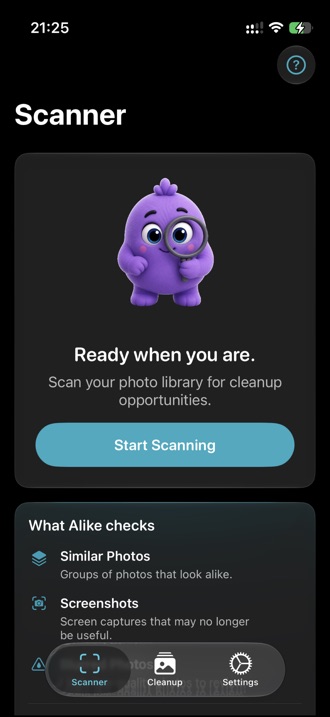
Start a scan
-
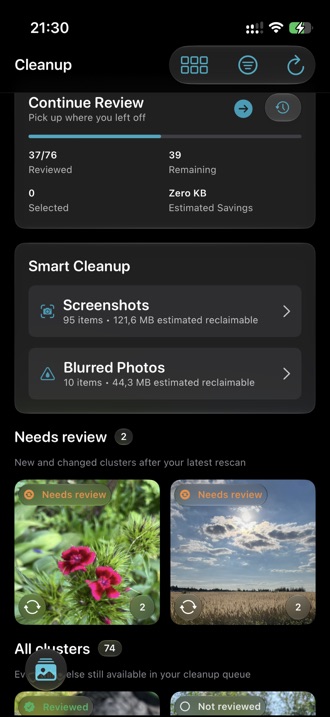
Work through the queue
-
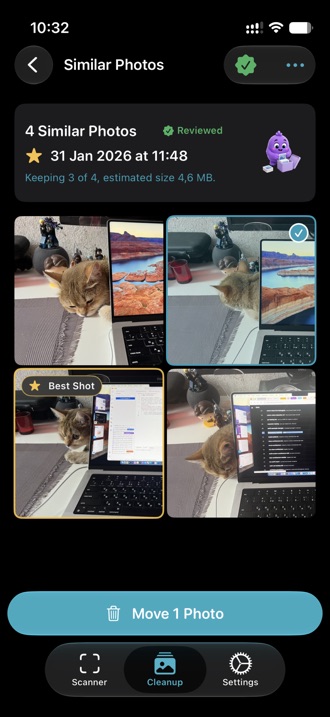
Best Shot, already picked
-
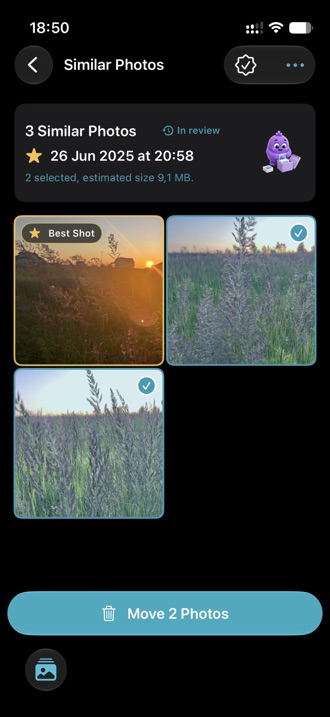
Compare side by side
-
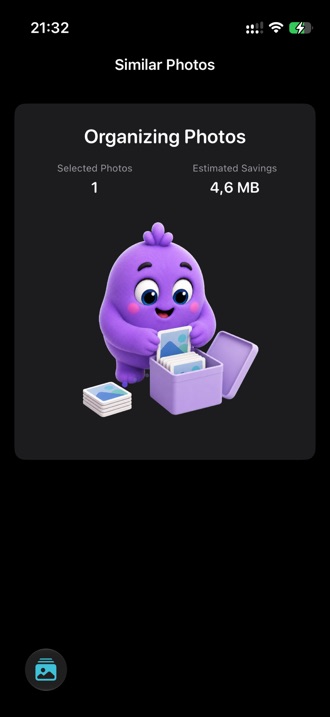
See what you freed
-
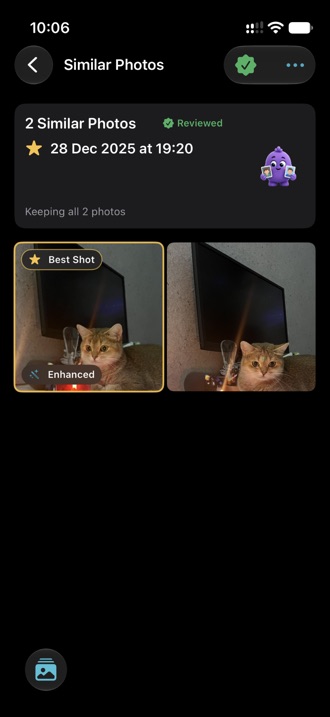
Improved, and undoable
-
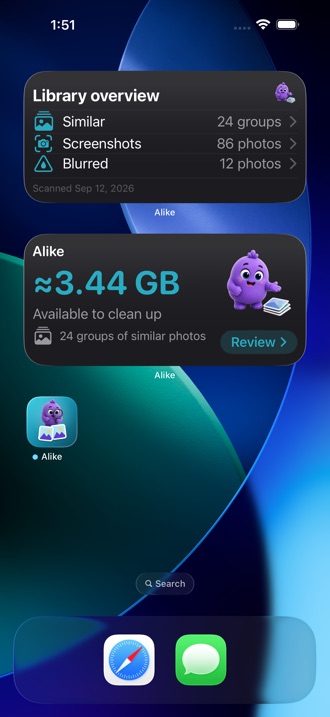
Useful without opening


Privacy is the whole point
Photo cleanup means handing an app your most personal library. Alike is built so that it never has to leave your hands.
-
Analysis runs on your device
Apple's Vision framework compares your photos locally. There is no Alike server to send anything to.
-
Photos are never uploaded
No photo, thumbnail, or feature print ever leaves your device.
-
No analytics, no tracking
No usage events, no advertising identifiers, no crash reporting SDK, no cookies. The app makes no network requests of its own.
-
Deletion is always your call
Every cleanup needs your confirmation, iOS asks a second time, and the photos land in Recently Deleted.

Pricing
Alike is free to download. Alike Pro lifts the limits.
Alike Free
Free
- 3 scans per month
- Guided review with Best Shot
- One-tap enhancement, always reversible
- Best Shot that learns from your picks
- Sorting and cleanup history
- Clean up one photo at a time
Recommended
Alike Pro
Yearly and monthly plans, priced in your local currency.
7-day free trial on the yearly plan
- Unlimited scans
- Clean up whole selections at once
- Screenshot cleanup
- Blurred photo cleanup
- Advanced filters
- Custom cleanup reminders
Subscriptions renew automatically unless cancelled at least 24 hours before the end of the current period. Payment is charged to your Apple Account.
The yearly plan includes a 7-day free trial for eligible new subscribers. Billing starts when the trial ends unless you cancel at least 24 hours before then. Manage or cancel anytime in iOS Settings.
Common questions
Does Alike upload my photos anywhere?
No. All comparison happens on your device using Apple's Vision framework, and the app makes no network requests of its own. The only outbound activity is handled by Apple when you buy or restore a subscription.
Will Alike delete photos without asking?
Never. You select what to remove, Alike asks you to confirm, and iOS shows its own confirmation before anything is deleted. Deleted photos go to Recently Deleted, where iOS keeps them for about 30 days.
Do I need an account?
No. Alike has no account, no sign-in, and no server. You open the app and start scanning.
What does Alike actually access?
Your photo library, requested once at the start. You can grant full access or limited access and pick which photos Alike may see, and change it any time in iOS Settings. Notification permission is only requested if you turn on the weekly cleanup reminder.
How does it decide which photos are similar?
Each photo gets a numeric feature print from the Vision framework. Photos close in capture time and location are compared, and a photo only joins a group if it is similar to every photo already in it. The sensitivity level sets how close is close enough.
What is Best Shot?
The photo Alike suggests keeping in each group, picked from the photos themselves — sharpness, exposure, faces and noise — rather than from favourites or file size. You can always override it, and the more often you do, the closer the suggestions get to your taste.
Can Alike change my photos?
Only if you ask it to. You can enhance the best shot in a group; Alike shows you the result first and saves it only when you apply it. The original is kept by iOS, so one step puts it back, and Apple Photos can undo the change too.
Does Alike learn from what I choose?
Yes, from your own picks and nothing else. When you choose a different best shot, Alike remembers what you preferred and ranks later groups closer to it. It all stays on your device, and Settings can reset it.
How do I cancel a subscription?
In iOS Settings, tap your name, then Subscriptions. Cancelling stops future renewals and you keep access until the paid period ends. Subscriptions and refunds are handled by Apple, not by us.
Can I erase everything Alike has stored?
Yes. Settings, then Data & Privacy, then Delete Alike Data. It erases scan results, cleanup history, your preferences, and what Best Shot has learned. It leaves your photos, your photo access and your subscription untouched — and a photo you enhanced stays enhanced, because putting the original back is a separate step.